How to Give an AI Coding Agent Access to Up-to-Date Documentation
AI coding agents are only as useful as the context they can access. They can write code, debug errors, and implement complex features, but they still need accurate documentation to choose the right APIs, follow current best practices, and avoid outdated patterns. By connecting your coding agent to searchable, continuously maintained documentation, you can help it work with the right information instead of relying on model memory alone.
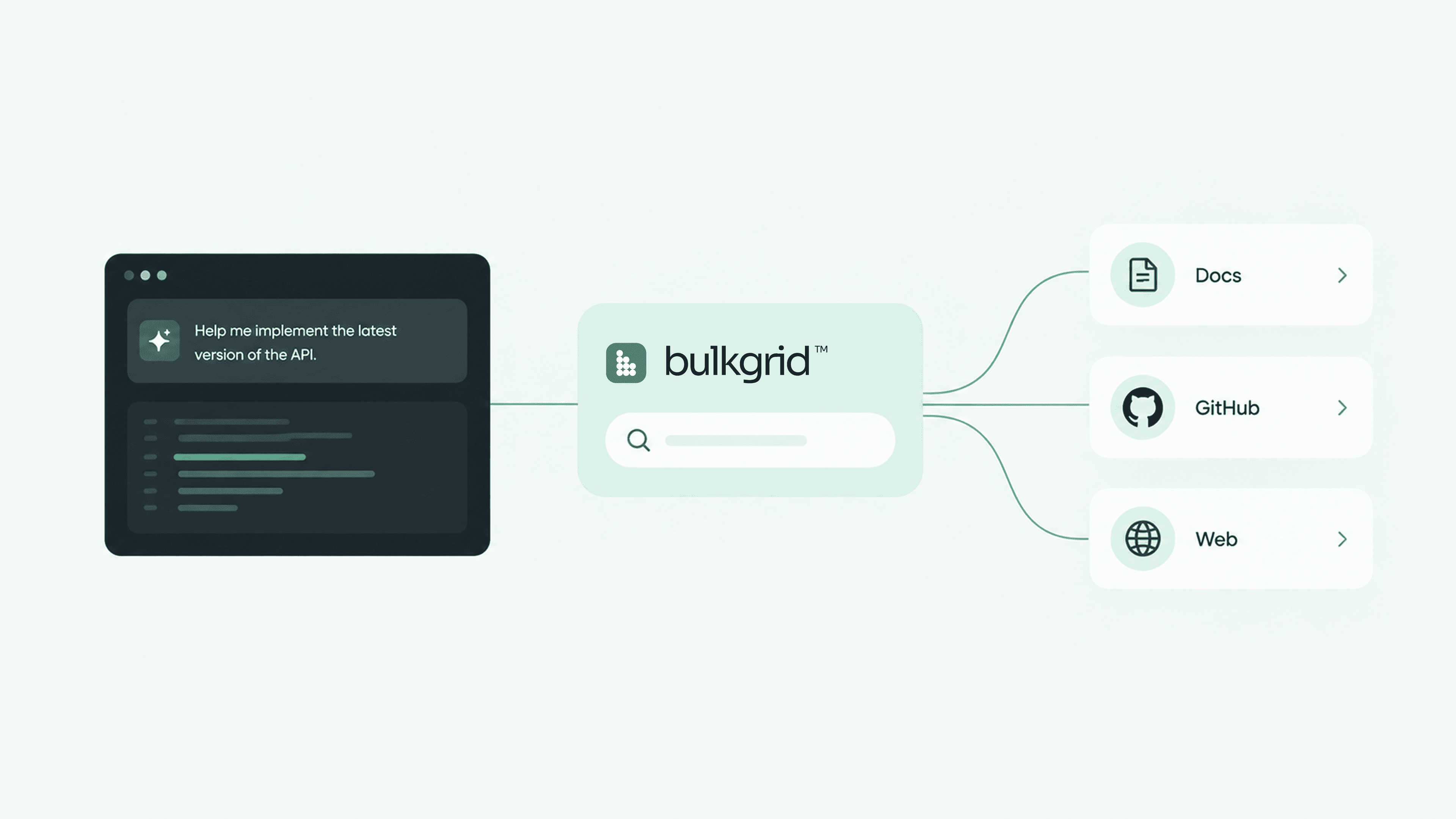
In this guide, we’ll explore why coding agents struggle with documentation, how to build a reliable knowledge layer for your development workflow, and how to use Bulkgrid to make technical documentation and repositories accessible to AI agents.
How to Give AI Coding Agents Reliable Documentation Context
AI coding agents can inspect codebases, suggest changes, run commands, and help developers build features. But they still need access to the right technical information.
Frameworks evolve. Libraries introduce new methods. APIs change their configuration requirements. An agent relying on its training knowledge may suggest an outdated approach or use an API that does not exist in the version your project has installed.
Connecting the agent to relevant documentation helps close that gap.
In this guide, we’ll explore how a documentation knowledge layer works, how Bulkgrid makes indexed documentation available to coding agents, and how to retrieve that context through the TypeScript SDK or MCP.
Why coding agents need documentation access
Many coding errors begin with missing or outdated context.
An agent might understand authentication in general but lack the configuration details for your authentication library. It might know a framework’s previous routing model but miss a recent change. Or it might overlook an implementation guideline specific to your team.
These gaps can lead to:
- Outdated API usage: generated code follows an older version of a library.
- Missing implementation details: an important requirement is buried in a documentation page the agent has not seen.
- Inconsistent recommendations: the agent makes different assumptions across tasks.
- Repeated manual research: developers search for documentation and paste the same examples into conversations.
- Hard-to-verify answers: generated code comes without references to the guidance behind it.
Documentation access gives the agent evidence to work with. It still needs to interpret that evidence correctly, match it to the project, and validate its implementation.
Three ways to provide technical context
Rely on the model’s existing knowledge
A model’s training knowledge is useful for established concepts and common programming patterns.
However, it cannot reliably tell you everything that has changed in a particular framework, SDK, or internal codebase. Recently released features and version-specific behavior often require additional information.
Search the web during the task
Web search can help an agent find current documentation, release notes, and examples.
This is useful when the agent needs information outside its existing context. The challenge is selecting authoritative sources, finding the relevant passage, and checking that the guidance applies to the installed version.
Connect to indexed documentation
Another approach is to select trusted sources in advance and make their content searchable.
The agent can then retrieve relevant passages from a defined set of documentation and preserve references to the original sources.
This works well when a team repeatedly uses the same frameworks, services, or internal guidance. Web search can still complement the index when the agent needs information beyond those sources.
How a documentation knowledge layer works
A documentation knowledge layer connects source content to an agent’s retrieval workflow.
1. Select the sources
Start with the information your agent needs for its work:
- Framework and library documentation.
- API references.
- SDK guides and examples.
- Documentation stored in GitHub repositories.
- Authorized internal documentation.
For example, an agent working on a web application might need documentation for the framework, authentication library, database client, and your team’s implementation conventions.
Choose sources that match the project’s dependencies and versions. The latest documentation is not always the right documentation for an existing application.
2. Index the content
The selected content must be processed into a searchable form. This can involve fetching documents, extracting text, splitting it into passages, and building a search index.
Indexing takes time. Adding a source does not necessarily mean its content is immediately ready for retrieval.
Before depending on a new source, check its indexing status and confirm that the documents you need are available.
3. Retrieve relevant passages
When the agent encounters a question, it searches the indexed content.
For an authentication task, relevant passages might describe provider configuration, callback URLs, session handling, or required environment variables.
A focused query helps. Naming the library, feature, and relevant version usually provides more useful context than asking a broad question about authentication.
4. Apply and validate the guidance
The agent combines the retrieved passages with the code and configuration in the current project.
It should check that the documented APIs match the installed dependencies, follow the project’s conventions, and validate the result with appropriate checks.
Source references help developers inspect the evidence behind the implementation. They do not prove that the generated code is correct.
Using Bulkgrid for documentation retrieval
Bulkgrid makes indexed website content and GitHub documentation searchable through an API, SDK, CLI, or MCP integration.
GitHub sources synchronize Markdown and MDX documentation from selected repositories. Private repository access requires an authorized GitHub connection and the appropriate workspace permissions and plan.
A typical workflow is:
- Add or subscribe to the documentation sources your project needs.
- Wait for the relevant content to finish indexing.
- Organize sources into Collections where useful.
- Connect your application or agent.
- Retrieve passages during development and preserve their source references.
Collections help define a useful retrieval scope. A frontend project might use framework and component-library documentation, while another project uses backend API references and internal engineering guidelines.
Access restrictions should also be configured on the API key or OAuth connection. Passing a Collection ID in a search request narrows the query; it does not replace credential-level permissions.
Example: retrieve indexed documentation with the TypeScript SDK
The following example targets the Bulkgrid TypeScript SDK v0.4.x.
Install the package:
npm install @bulkgrid/sdk
Before running the example:
- Set
BULKGRID_API_KEYin your server environment. - Use an API key with the
search:queryscope and access to the intended content. - Ensure the relevant documentation has finished indexing.
Save the example as search-docs.mjs and run it in a server-side Node.js environment:
import { BulkgridClient } from "@bulkgrid/sdk";

const apiKey = process.env.BULKGRID_API_KEY;

if (!apiKey) {
  throw new Error("Set BULKGRID_API_KEY before running this example.");
}

const client = new BulkgridClient({
  apiKey,
  baseUrl: "https://bulkgrid.com",
});

const response = await client.index.search({
  query: "How do I implement OAuth authentication?",
  limit: 5,
  // collectionId: "YOUR_COLLECTION_UUID",
});

if (response.results.length === 0) {
  console.log("No matching documentation passages were returned.");
}

for (const result of response.results) {
  console.log({
    title: result.title,
    url: result.url,
    text: result.text_content,
  });
}
Run it with:
node search-docs.mjs
To restrict retrieval to a particular Collection, uncomment collectionId and replace the placeholder with an accessible Collection’s UUID.
The distinction between the two search methods matters:
client.index.search()retrieves passages from indexed content.client.search()performs live web search.
For the documentation workflow described here, use client.index.search().
The response contains a results array. Each result includes fields such as text_content, url, and title, which you can use to provide relevant passages and source references to your model.
This example demonstrates retrieval. It does not call an AI model or implement a complete coding agent.
In your application, connect the retrieved passages to the model’s context or tool-calling workflow. Handle API failures and empty results explicitly, and avoid treating a lack of search results as proof that a feature does not exist.
Keep API keys on the server and out of browser bundles, source control, and logs.
Connecting through MCP
If your coding environment supports the Model Context Protocol, you can connect it to Bulkgrid’s MCP server.
This gives the agent tools for discovering available sources and retrieving relevant documentation without requiring you to build a custom SDK integration.
Follow the configuration instructions for your chosen client and authorize the intended workspace and Collections.
A useful instruction for the agent is:
Before using an unfamiliar or version-sensitive API, retrieve the relevant documentation, check that it matches the project’s installed version, and include source references when explaining the implementation.
An MCP connection makes retrieval available to the agent. Your instructions and workflow help determine when it uses that capability.
For custom applications, the SDK or REST API may be a better fit because you control how retrieval requests are constructed and how results reach the model.
Keeping indexed documentation current
Documentation retrieval is only as current as the indexed content.
When the original source changes, the index needs to be refreshed before those changes are available to the agent. Refresh options and frequency depend on the source type, workspace configuration, and plan.
Review source status and refresh history where available. A failed or incomplete synchronization can leave gaps even when the original documentation is up to date.
Freshness and version compatibility are separate concerns. A newly refreshed page may describe a release your project does not use.
For version-sensitive work:
- Prefer documentation for the installed dependency version.
- Use version-specific sources or paths where available.
- Include relevant version information in search queries.
- Check retrieved examples against package manifests and lockfiles.
Including a version in a query helps communicate intent, but it does not guarantee that every returned passage describes that version.
Practices that make retrieval more useful
Keep the retrieval scope focused
Select sources relevant to the task. Use Collections and source filters to reduce unrelated results.
An agent implementing authentication usually needs a small set of applicable passages, rather than every document associated with the project.
Preserve the evidence
Keep source URLs alongside retrieved text.
This lets developers inspect the original documentation, check surrounding context, and verify important implementation decisions.
Treat retrieved content as reference material
Documentation can contain examples, quotations, and other text that should not control the agent’s behavior.
The agent should use retrieved content as evidence while continuing to follow the user’s instructions and the project’s rules.
Combine retrieval with validation
Use type checking, linting, tests, and other checks appropriate to the change.
Documentation may describe the intended behavior, but validation establishes whether the implementation works in your environment.
Monitor source health
An empty response can reflect an overly narrow query, missing permissions, incomplete indexing, or a source that does not contain the answer.
Inspect those conditions before concluding that no relevant guidance exists.
Give coding agents better context
Coding agents benefit from access to relevant, verifiable technical information.
A documentation knowledge layer lets you select trusted sources, retrieve focused passages, and preserve references throughout the development workflow. Keeping those sources refreshed and aligned with dependency versions makes that context more useful.
Bulkgrid provides indexed retrieval from websites and GitHub documentation through its API, SDK, CLI, and MCP integration.
Start with the sources your project relies on, confirm that they are indexed, and connect them to the tools your team already uses.